Every place.
Easy to find.
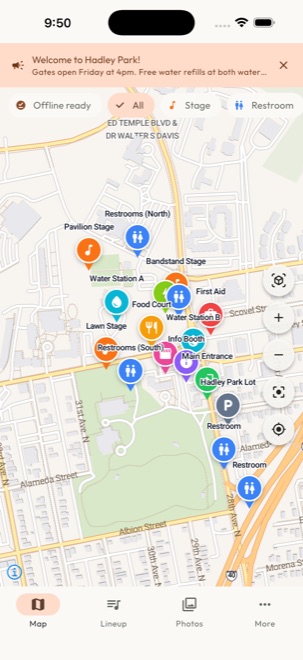
Put stages, sessions, food, first aid and every essential on an interactive event map. Review and move pins until each detail is in place.
EVENT SOFTWARE. MADE FOR ORGANIZERS.
The map. The lineup. The moments in between. Give your audience one beautiful place for it all—and your team a simpler way to run the day.
Organizer beta for iPhone & iPad · Attendees join with a link
Festivals ✳︎ Street fairs & markets ✳︎ Conferences ✳︎ Cultural celebrations ✳︎ Community events
ONE LINK. A WHOLE EXPERIENCE.
Give attendees a guide that feels like your event, from the first tap to the last goodbye.
Put stages, sessions, food, first aid and every essential on an interactive event map. Review and move pins until each detail is in place.
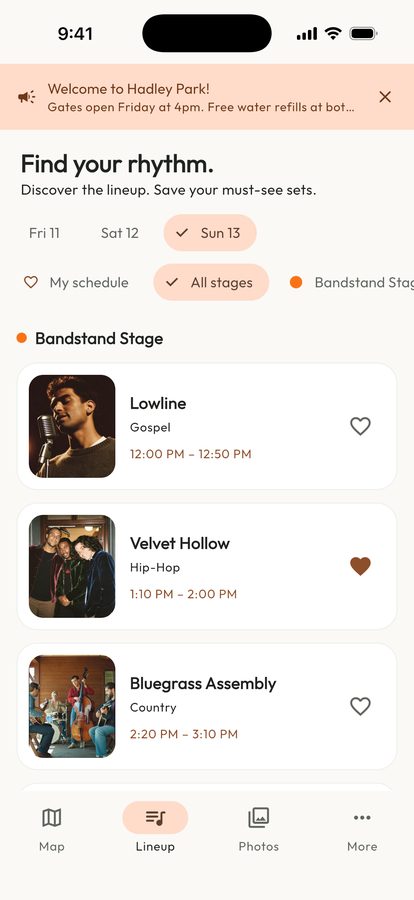
Bring your lineup to life with photos and a clear schedule. Help your audience see who’s on, where and when—and save the ones they can’t miss.
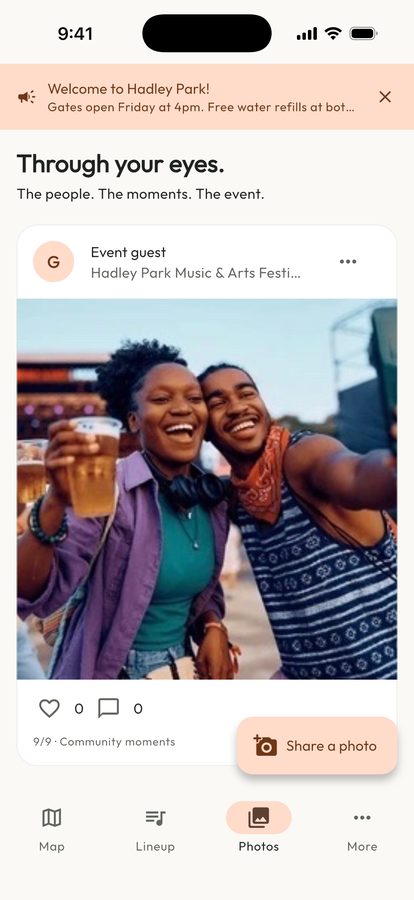
A community photo feed with likes and comments lets attendees share their view. Automatic moderation helps your team manage what appears.
YOUR IDENTITY, EVERYWHERE
Your logo. Your colors. Your social links. A dedicated attendee link that opens straight into your event.
Live updates, uploads and conversations need a connection.
Step into the attendee experienceBEHIND EVERY GREAT GATHERING
Event management tools that keep your map, program and community in one place, ready to run from your phone.
Create your event, upload your logo and set the details. Add the links your community needs.
Upload a site map and review pins. Import a schedule, check the AI-assisted results and add photos to your lineup.
Publish your event and share its link. Update the program and announcements as the day unfolds.
THE STORY BEHIND THE DAY
Turn event activity into a clearer picture. See engagement, attendee feedback and how activity changes across your venue.
Location insights are estimates from attendees who opt in while the guide is open, not total attendance or background tracking.
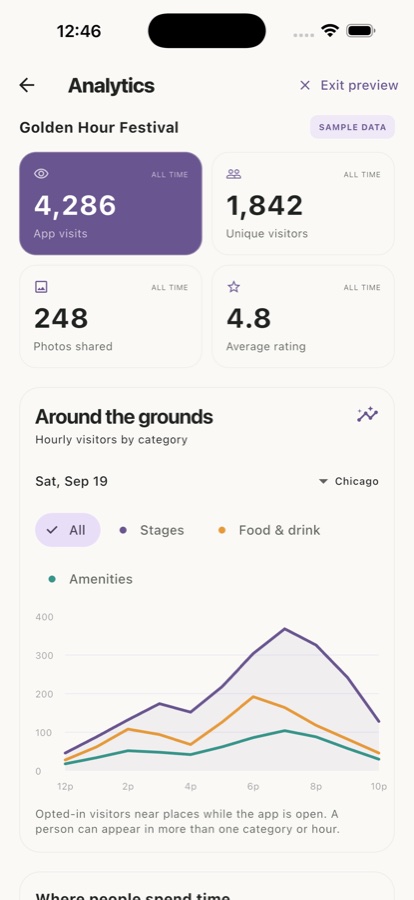
Illustrative sample figures. Your live reports use your event’s data.
Bira Events is an app for event organizers. It brings branded attendee guides, interactive venue maps, lineups and schedules, announcements, moderated community photos and event analytics together in one place.
Any gathering with a venue to find your way around and a program to follow: music and arts festivals, street fairs and markets, cultural celebrations, conferences and community events. If your attendees need to know where to go, what’s on next and how to share the day, Bira fits.
No. Attendees open your event guide through its dedicated web link, without creating an account. They can also add it to their home screen for easy access.
Yes. Upload your logo, choose your event colors and add your social links. Your event’s home-screen icon uses its logo and opens directly into its guide.
Yes. Upload or replace your map, review and move pins, and add missing places. Schedule imports support updates and replacements. Review imported details before publishing them to attendees.
Attendees choose whether to share their location. Activity is sampled near venue pins while the guide is open during the event. Reports show estimated activity and time near places, not a complete crowd count. Nearby areas and GPS accuracy can affect the estimates.
The iPhone and iPad organizer app is currently available in TestFlight beta. Use the “Try Bira Events” link to join. You can also sign in to the organizer workspace on the web, or explore the attendee demo before getting started.
LESS JUGGLING. MORE BEING THERE.
Available now in TestFlight beta.
Enter the event code your organizer shared.